
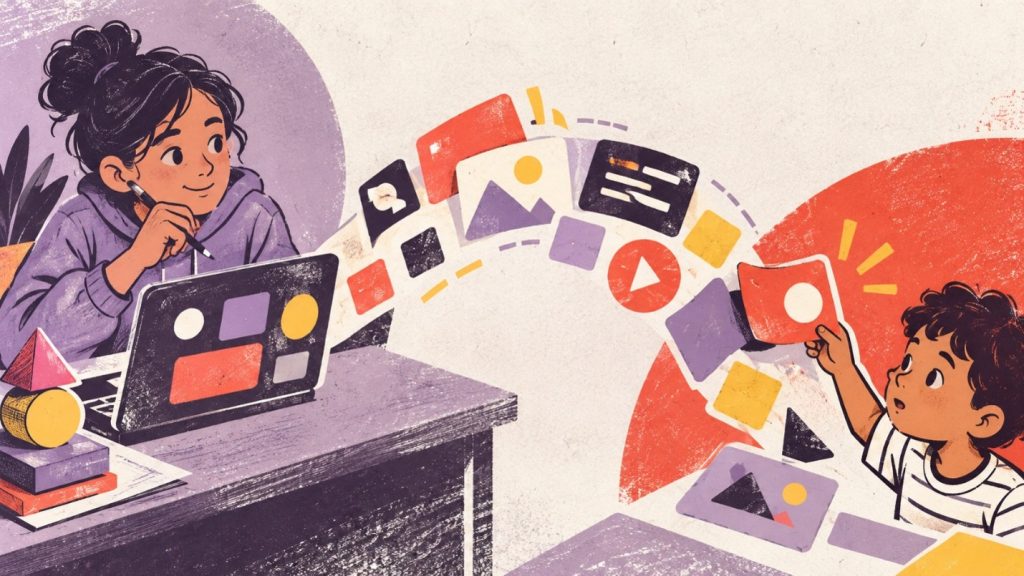
Consider two eighth-grade projects, both built in the same unit.
The first is a quiz game about the planets. It works. It has a title screen, a score counter and a cheerful sound when you get an answer right. The teacher grades it against the rubric, and it scores well. At the end of the year, it sits in a folder nobody opens again.
The second is almost the same game. But this one gets tested by a class of second graders down the hall. Within two minutes, a seven-year-old taps the wrong button and the game freezes. Another can’t read the word “submit.” A third asks why the sun isn’t a planet. The eighth grader goes back to her desk, a little embarrassed, and starts rewriting.
On paper, the first project is better. It was finished on time and it worked. But only the second student found out what making something for other people actually feels like.
Think about it:
If the first game got the higher grade, which of the two students learned more about building something for people?
Why most student projects never meet a user
This isn’t anyone’s failure. It is how school assignments are built.
A rubric needs every student to do a similar task, so it can be graded fairly. Finding real users takes planning time teachers rarely have. Privacy rules, quite rightly, make schools careful about sharing student work outside the building. And the school calendar runs on a simple loop: assign, submit, grade, close.
That loop works well for a lot of learning. But for creation, it ends at exactly the wrong moment. It closes the project just before anyone else touches it.
So many student creations are only ever seen by one person: the adult grading them. School leaders often notice this at showcase evenings. The projects look impressive on the tables. Then you ask a student who has used her app, and the answer is her teacher and her mom.
Of all the projects students in your school made last year, how many is anyone still using today?
What a real user changes
A teacher reads a project to judge it. A user tries to do something with it. That is a different kind of feedback, and students feel the difference straight away.
A user doesn’t care about the rubric. They get lost, click the wrong thing, misread the instructions and want features nobody planned. Each of those moments is a small design lesson. It is also the moment a student stops thinking “I finished my project” and starts thinking “I made something, and it has to work for someone.”
The standards point the same way. The ISTE Standards for Students ask students to develop, test and refine prototypes as part of a cycle. The new 2026 CSTA PK–12 Computer Science Standards include Human-Centered Design as one of four categories of practice. You can’t test and refine for a human if no human ever uses the work.
So the usual question, “Are our students making things?”, is easy to say yes to. The sharper question is:
“Who used it, and what did the student change because of them?”
Made for a grade vs made for a user
| Question? | Made for a grade | Made for a user |
| Who it’s for | The teacher | A real person with a need |
| Who gives feedback | One adult, once | The people using it, often |
| When it’s “done” | When it’s submitted | When it works for the user |
| What a bug means | Lost marks | A person got stuck |
| What the student learns | How to meet the criteria | How to design for someone else |
| What happens after | It’s filed away | It gets changed, or used again |
Real users are already in your building
Schools don’t need outside partners to do this. Users are down the hallway.
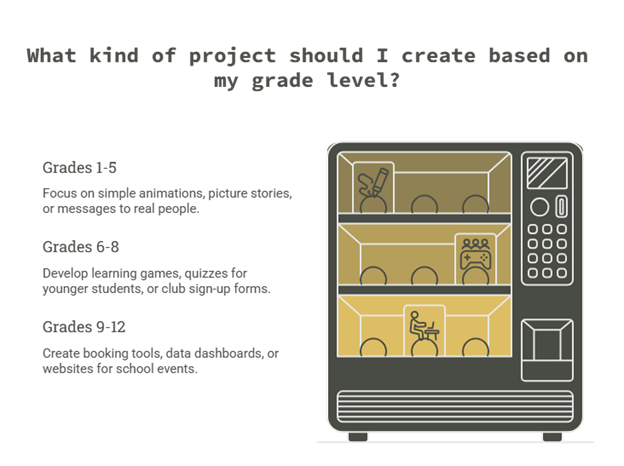
These are examples, not a checklist. The point is that almost every school already contains people with small, real problems a student could solve.
What small, everyday problem in your school could a student fix, if someone simply asked them to?
A test to run this term
Pick ten student projects from the last few months. Any grade, any tool.
Ask each student two questions:
- Who used this, apart from you and your teacher?
- What did you change after they used it?
Don’t score the answers. Just count how many students could name a user, and how many changed something because of one. The two numbers will tell you whether your programme is producing creators, or very capable project-finishers.
How it builds, in both directions
When projects end at the grade, students learn that making is about pleasing one adult. They polish the parts the rubric sees. Bugs feel like failures to hide. By high school, many are skilled at completing projects and unsure what to build when nobody sets a task.
When projects meet a user, students learn that confusion is information. They get used to a second version. Younger students get tools made for them, and see what older students can do. By high school, students start noticing problems around them and asking whether they could build something to fix one.
We talk a lot about students becoming creators. Much less often do we ask who they are creating for.
So here is a question to carry into your next curriculum review. When a student in your school finishes a project this year, who besides the adult grading it will ever know it exists?
Where KODEIT fits
What a curriculum can do is make room for that, starting early. In KODEIT’s Grade 1 lessons, students walk a mini-gallery of each other’s computer posters and give one positive comment to a classmate. That is a first, small audience. KODEIT’s Practice Books include Real-World Connection activities, such as writing a first email to someone real, like a friend, a family member or a favorite teacher. And in the older grades, game design units ask students to build games that other people will want to play.
Before you look at any programme, including ours, run the two-question test on the projects your students made this year.
Frequently Asked Questions
What does “students as technology creators” mean?
It means students don’t only use apps, games and websites. They design and build their own. In the fullest sense, it also means making something that works for another person, not just something that meets an assignment.
Why does a real user matter for student projects?
A real user shows students where their work breaks, confuses or falls short. That feedback teaches design in a way a grade can’t. It also changes how students see themselves: from someone who finishes tasks to someone who makes things people use.
How can schools give students real users without privacy risks?
Start inside the school. Younger classes, teachers, clubs and school staff make good first users. Avoid collecting personal data in student-built tools, and follow your school’s rules on sharing student work and images.
Does every computer science project need a real user?
No. Students need plenty of practice tasks to build skills first. The aim is that, across a year, students regularly build at least some projects for someone other than their teacher.
How does this connect to ISTE and CSTA standards?
The ISTE Standards for Students include developing, testing and refining prototypes in a design cycle. The 2026 CSTA PK–12 Computer Science Standards include Human-Centered Design as one of four categories of practice. Testing work with real users supports both.